Turning scattered content into a connected knowledge base.
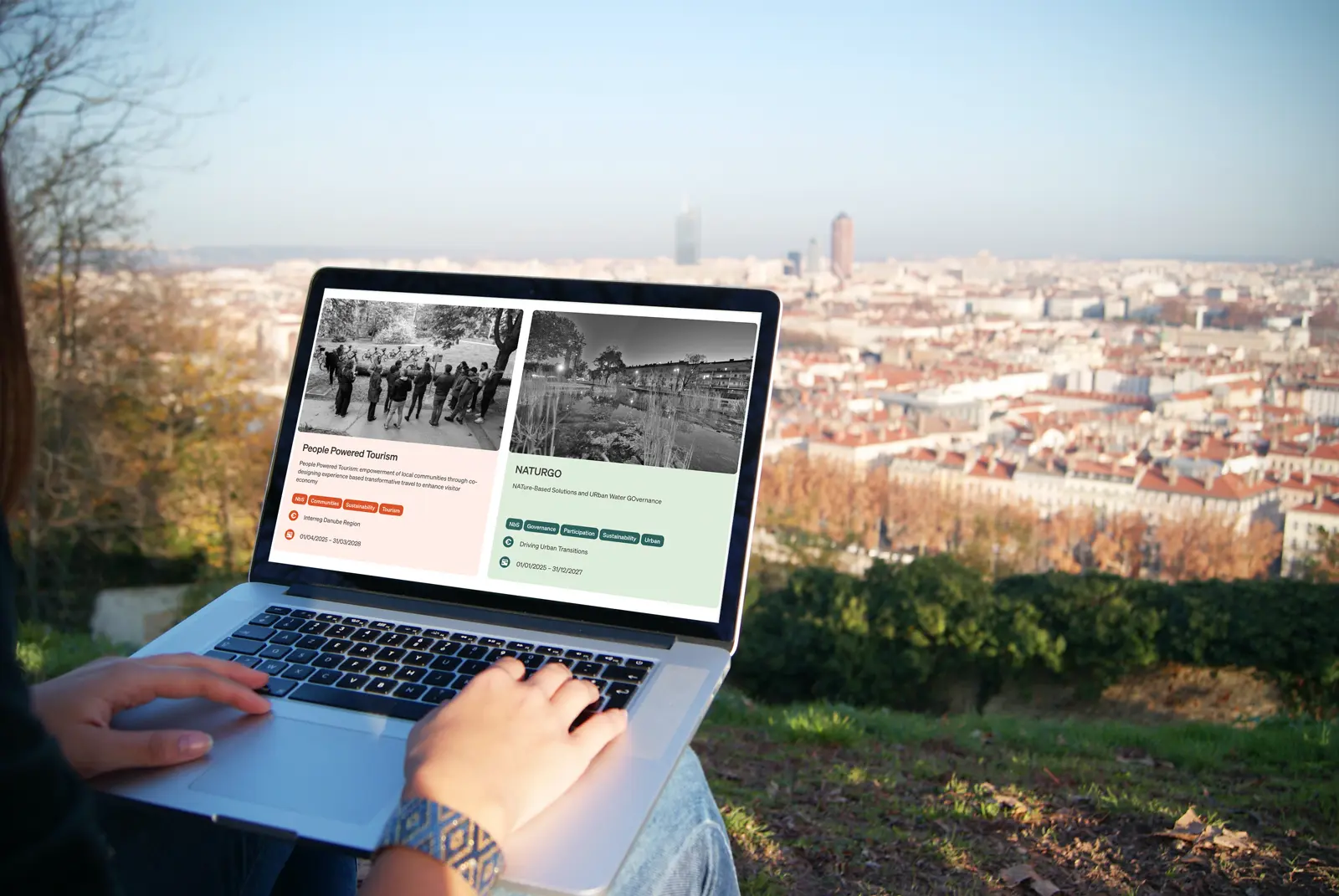
A confusing corporate website became a structured, connected knowledge base for projects, publications, events and specialist content.
01 · Starting point
The challenge
The old site contained valuable specialist material, but its content was poorly organised. The links between projects, knowledge articles, publications, events and network entries were unclear.
This was more than a visual redesign. It needed an information structure that could manage different content types separately while showing their professional connections.
Approach
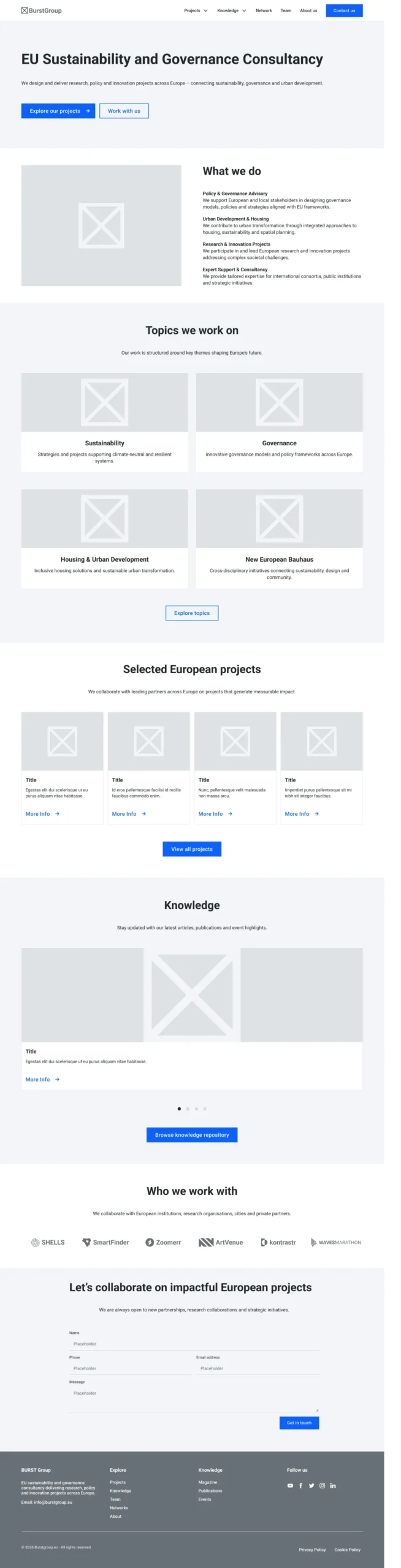
The client arrived with clear requirements, so I focused on modelling the structure rather than running a separate research phase. I first created wireframes for key listing and detail pages and the navigation.
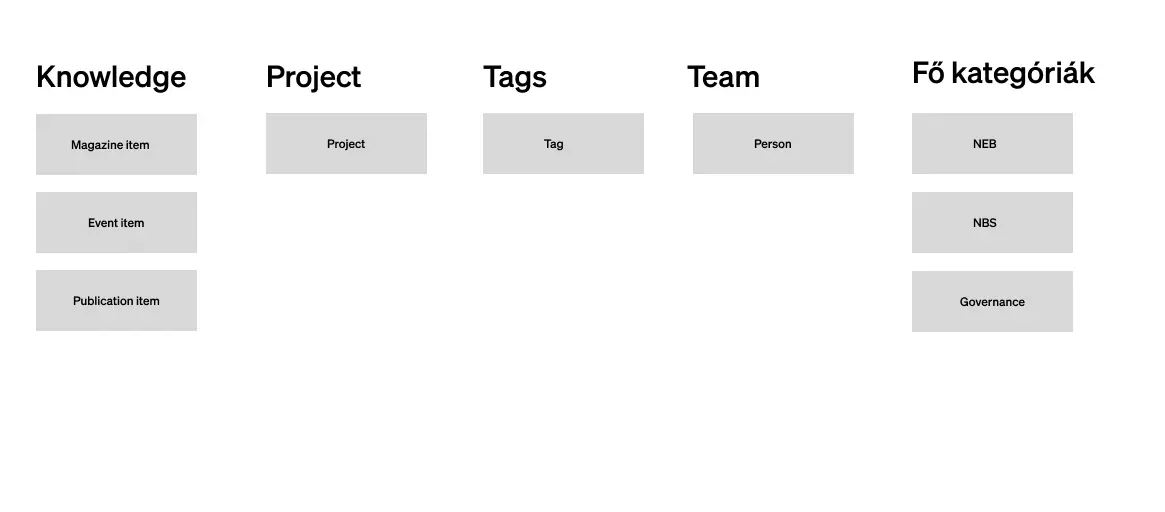
In parallel, I mapped how custom post types, topics, tags and related content would connect. This formed the basis for searching, filtering and browsing between items.
02 · Design decision
Separate content types, one connected system
Problem
Previously, specialist content was not clearly separated, making projects, publications, events and magazine pieces hard to distinguish.
Decision
I separated the material into Projects, Knowledge, Network and Team content types, with events, magazine articles and publications managed separately within Knowledge.
Solution
The new structure made the site clearer while allowing related content to link together.
03 · Process
The system's logic came before the visual design
Designing connections between content was one of the project's most important tasks.
- 1
Wireframe
I wireframed the main navigation, project listing, project detail view and key content pages.
- 2
Entitástérkép
A logical map showed how content types and taxonomies should connect.
- 3
Related content
Shared topics and tags can automatically connect relevant Knowledge and Network entries to a project.
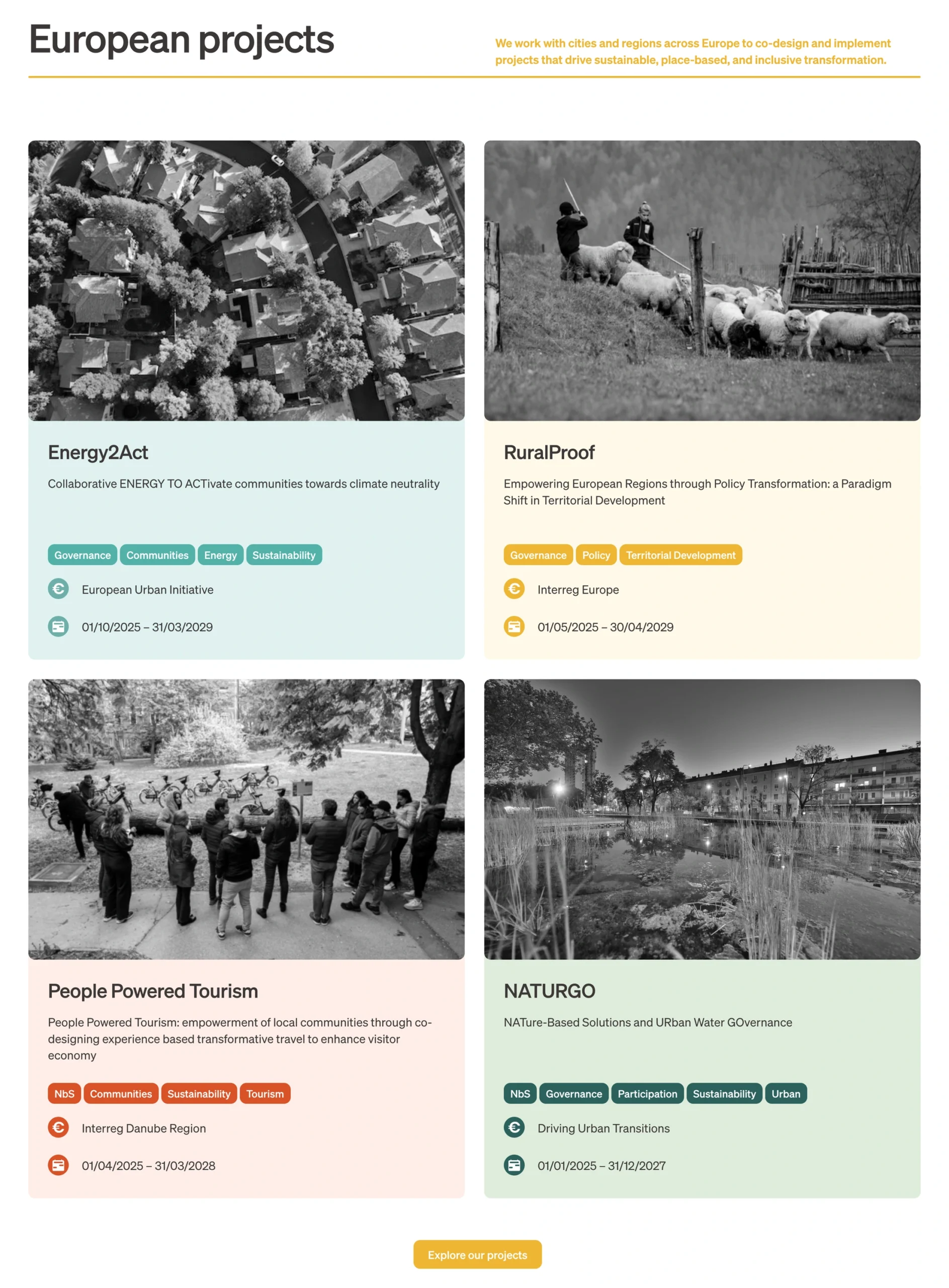
- 4
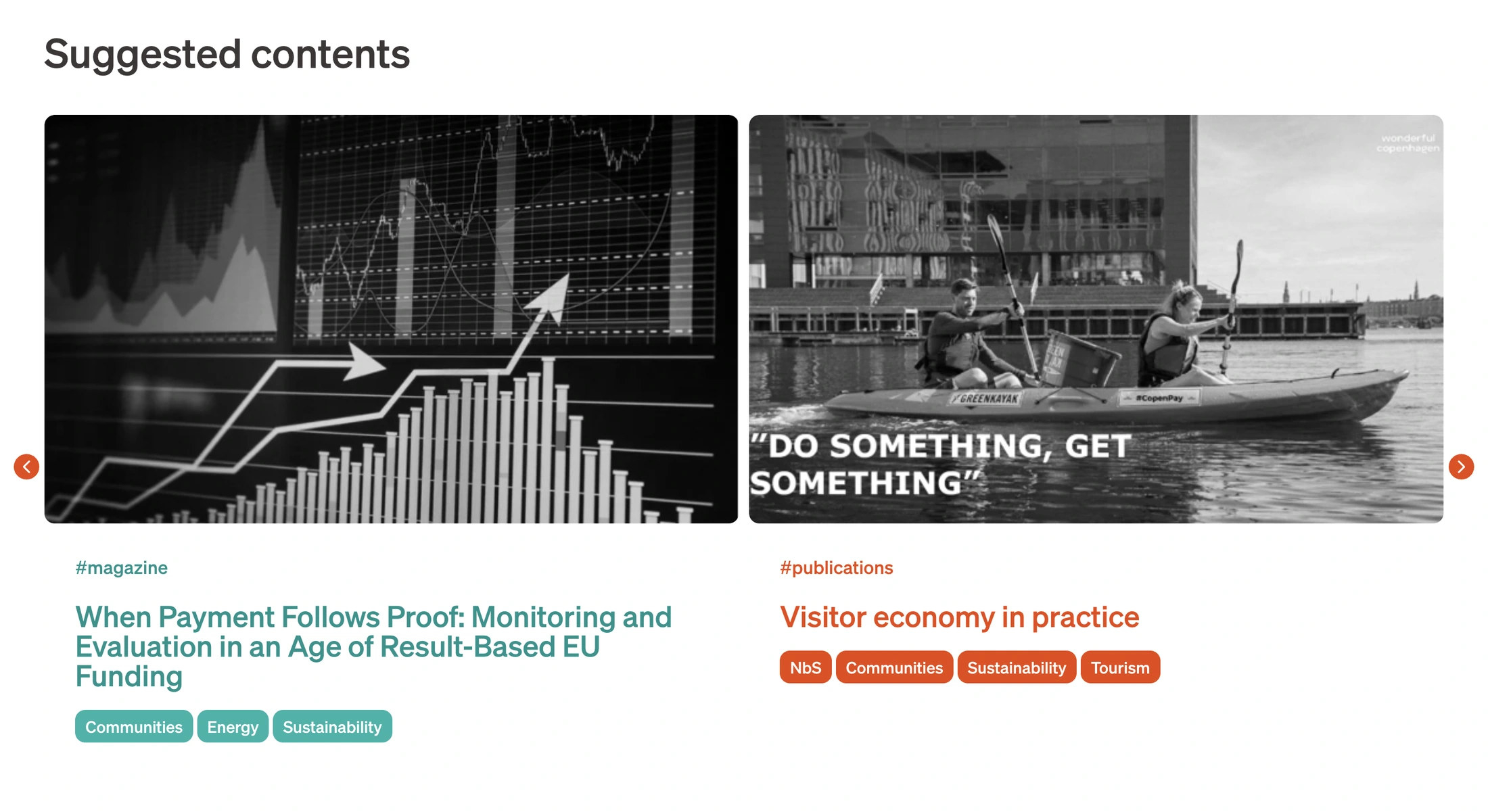
Search and filtering
Topics, tags and free-text search help visitors explore the larger knowledge base.

04 · Design decision
Connections became browsing paths
Problem
Separating content alone would not have made the knowledge base easier to explore.
Decision
We used shared topics and tags across content types so professional connections could be followed throughout the system.
Solution
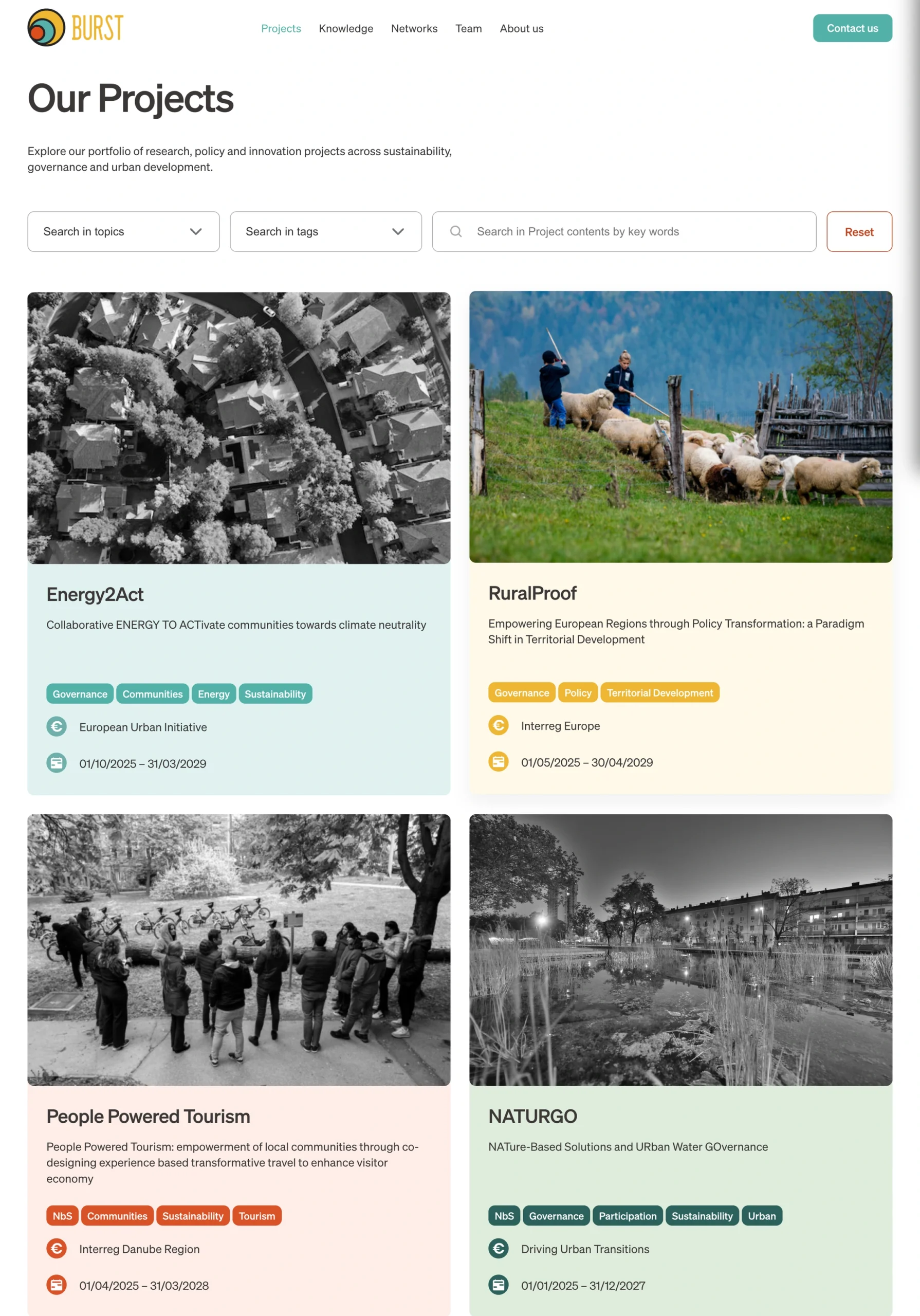
A project page can show related publications, events and other Knowledge entries, which lead to further relevant material. The website functions as an explorable professional network rather than a linear sequence of pages.
05 · Design decision
Making editing straightforward
Problem
Burst Group project managers add and update the content; they do not need to edit WordPress page layouts.
Decision
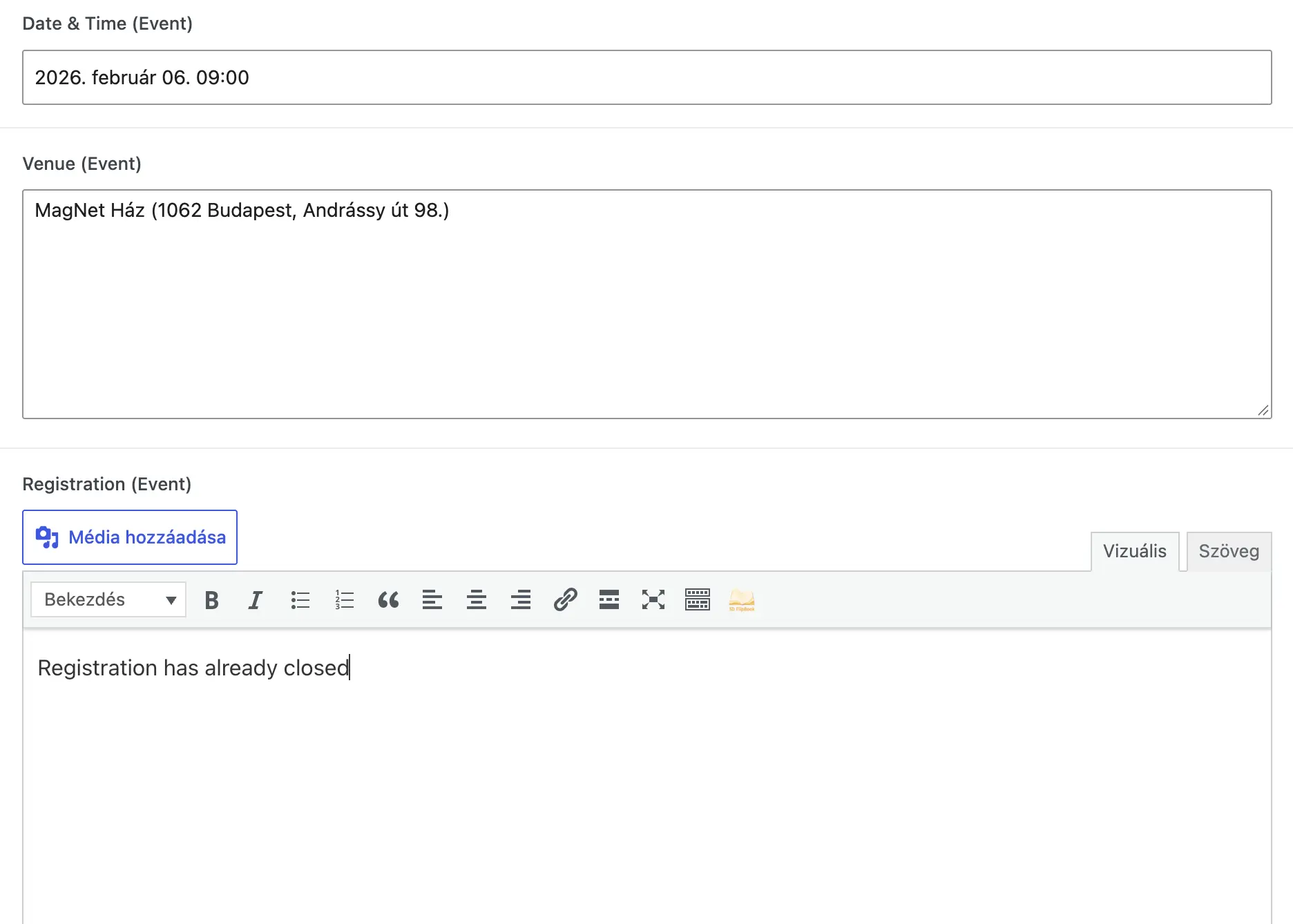
I built the admin area with ACF fields and custom content types. Each item has a structured editing screen where the editor fills in the required fields.
Solution
New projects, events, publications, magazine articles, network entries and team members can therefore be added without developer help. I also wrote a detailed editing guide for handover.
06 · Design decision
From visual references to a design system
Problem
The client did not initially have a defined visual direction.
Decision
I developed several UI directions from references, then refined the chosen approach with the client.
Solution
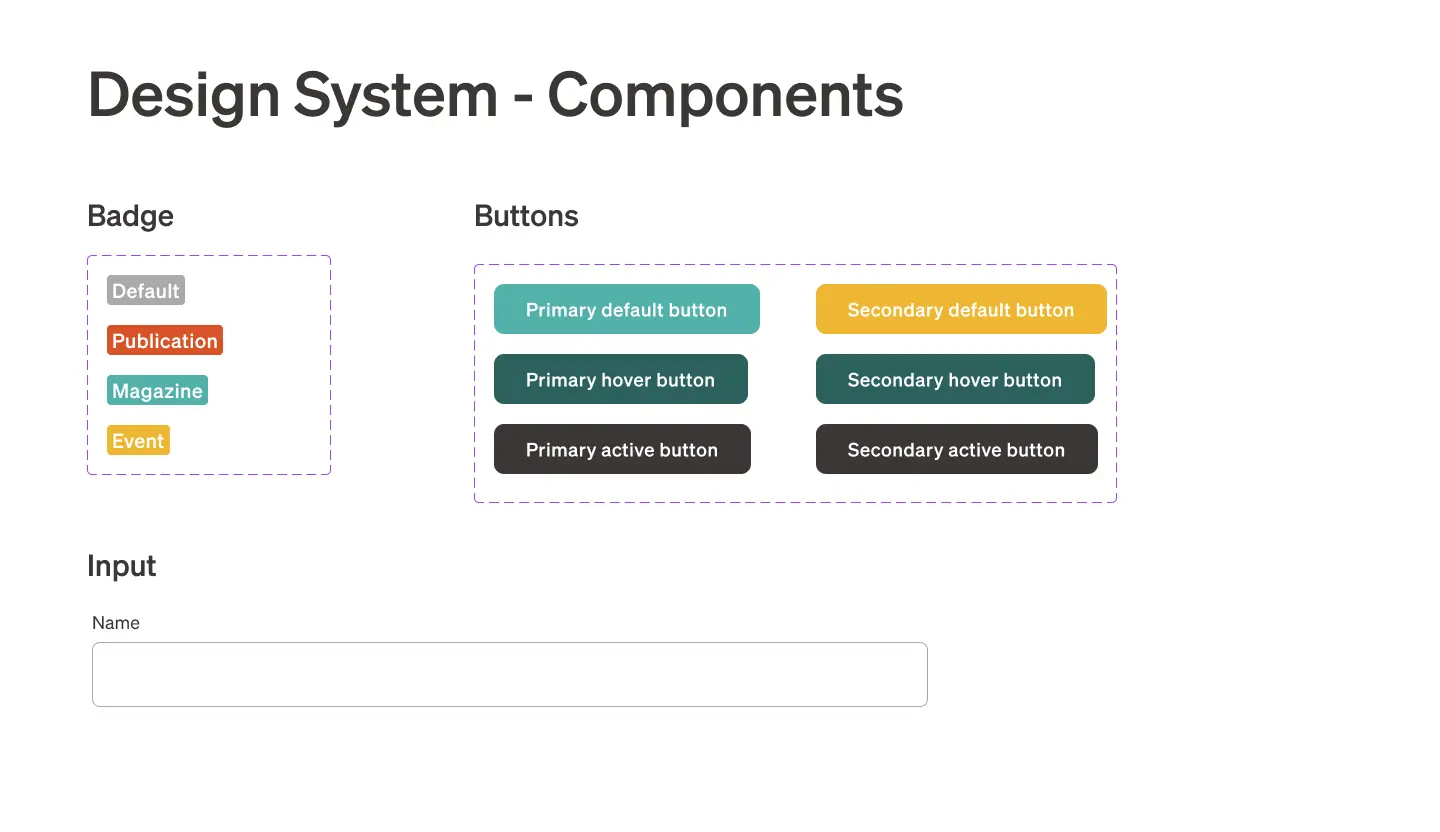
The finished interface has a design system covering typography, colours, components, cards and the visual treatment of different content types.
07 · Design decision
The data structure and frontend follow the same logic
Problem
The main development challenge was making many entities and relationships work correctly behind the scenes while keeping the frontend simple.
Decision
I aligned the WordPress data model with the planned information architecture and managed connections through taxonomies, custom fields and queries.
Solution
Editors only need to enter the right content data; the website builds listings, filters and related content automatically.
08 · Eredmény
Result
Projects, Knowledge articles, events, magazine pieces, publications, Network entries and team members are managed separately but remain connected. Visitors can move easily between a project and related specialist material.
I set up the admin area so project managers without development skills can add and update content. Handover included a detailed user guide. The client described the result as clear and visually strong.
What challenge does your project need to solve?
If you are planning a new website or digital product, I can help shape its UX, design and technology into one coherent system.